
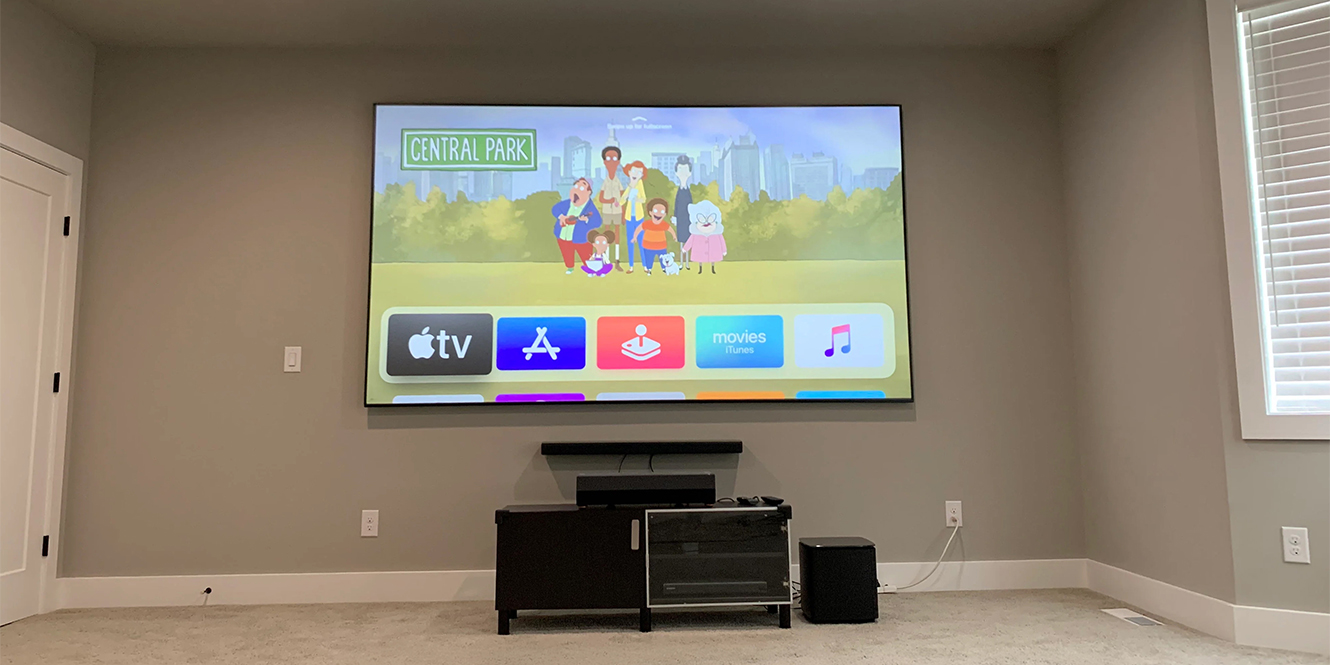

So, you’ve ventured into the world of home projection and concluded that watching your favourite films on a blank wall isn’t cutting it. A screen is the way forward. It will make your viewing experience infinitely better than you might expect.
However, there are many options out there and a lot of acronyms for different technologies and design ideas. So, here I am with a quick rundown on what’s what and how you can choose the best projector screen for your home cinema.
Key takeaways
- A projector screen can completely transform your setup by giving you a smooth surface without any of the flaws that come with bare walls
- White screens are versatile, grey and black screens improve contrast in brighter rooms, and grain patterns control how light reflects back
- Gain affects brightness and viewing angle
- With a lower budget, you can get a simple, effective screen, while premium ALR (ambient light rejecting) or Fresnel designs cost more but are ideal for difficult environments
The benefits of a projector screen
A screen can make or break a home cinema setup. Projecting directly onto a wall sounds fine in theory, but in practice, all the little imperfections on that wall will quickly ruin the effect. The plastering, the paint colour, and even the surface texture will all interfere with the image.
Any tiny bump or ripple reflects light differently than a flat section, and if your wall is coloured, say red, you’ll never get a proper white in your picture. Instead, the whole image takes on that colour cast because white light can’t reflect cleanly off a tinted surface.
With a projector screen, you get a consistently flat, smooth surface, meaning the light has no obstacles to scatter or distort before reaching your eyes.
Most screens are white, as they’re the most reflective and usually offer higher gain values (we’ll cover this in more detail later). However, you can also find grey, and yes, “Mr Wayne, it does come in black.” These darker options (especially black screens) help improve contrast and black levels, but they do so at the expense of colour saturation. They’re designed to pair with brighter projectors and often carry a hefty price tag.
How to choose the best projector screen for your home cinema
 Gain
Gain
Gain is one of those terms you’ll see thrown around a lot when shopping for projector screens, and it’s worth understanding because it has a direct impact on how bright your image looks. In simple terms, gain measures how much light a screen reflects compared to a standard reference surface.
A gain of 1.0 is considered neutral. That means the screen reflects light evenly, giving you a natural brightness that works well in darker rooms.
Go higher, say 1.3 or 1.5, and the screen reflects more light directly back towards the audience. This makes the image appear brighter, which can be helpful if your projector isn’t especially powerful. The trade-off is that viewing angles get narrower, and people sitting off to the sides will see the image fade.
Lower gain values, like 0.8, spread light more widely. You lose a bit of brightness, but you gain better viewing angles and often deeper black levels. These screens can be ideal for dedicated cinema rooms where you don’t need as much brightness.
| Gain Value | Brightness | Viewing Angle | Best For | Pros | Cons |
|---|---|---|---|---|---|
| <1.0 | Dimmer | Wide | Dark rooms, contrast-focused setups | Better black levels and contrast | Not as bright overall |
| 1.0 | Neutral | Balanced | General all-round use | Natural, accurate image | None, but not specialised |
| >1.0 | Brighter | Narrower | Low-power projectors, brighter rooms | Boosts brightness noticeably | Colours can wash out at angles |
Grain pattern
Projector screens don’t just differ in colour or gain; the grain, or surface texture, also plays a big role in how the image looks. Grain is the microscopic pattern pressed into the screen material, and it controls how light is reflected back to the audience.
The simplest option is a straight grain pattern. This scatters light evenly in all directions, giving you wide viewing angles. If you’ve got a living room setup where people are spread out across the sofa, straight grain works well because everyone sees a fairly consistent picture.
Lenticular grain screens are more focused. They use tiny ridges (like grooves on a record) that direct light forward towards the audience. This boosts brightness and contrast, especially useful in rooms with ambient light. The downside is that viewing angles are narrower — step too far off-axis and the picture loses punch.
Fresnel grain takes the directional idea further by shaping the surface into concentric rings, similar to a Fresnel lens. These rings funnel light back towards the viewer and reject ambient light from above or the sides. They’re brilliant for daytime viewing in bright rooms, but they’re often expensive and best suited to high-end projectors.
| Grain Type | Viewing Angle | Brightness/Contrast | Best For | Downsides |
|---|---|---|---|---|
| Straight | Wide | Neutral | Casual setups, wide seating areas | Less contrast in bright rooms |
| Lenticular | Moderate | Higher, more focused | Living rooms with some ambient light | Narrower viewing angles |
| Fresnel | Narrowest but most controlled | Very high, rejects ambient light | Bright rooms, premium setups | Expensive, less forgiving on placement |
Screen size
 When it comes to projector screens, size can get confusing because manufacturers don’t always measure them the way you’d expect.
Screens are typically listed by their width (horizontal measurement), since that’s the most consistent way to size a projection surface. However, most people are used to TV-style measurements, which are given in diagonal inches. That’s where aspect ratio comes into play.
For a standard 16:9 aspect ratio (the most common for home cinema), the relationship between width and diagonal works like this:
- A 266 cm wide screen is roughly a 120-inch diagonal
- A 355 cm wide screen is roughly a 160-inch diagonal
The maths is straightforward. The formula is:

And for a 16:9 screen, the height is always:
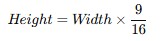
It’s also important to size the screen appropriately for your projector and its placement. Your throw ratio (how far the projector sits from the screen vs. how wide the image will be) dictates the maximum and minimum screen width you can achieve.
If the screen is too big or too small for your projector’s placement, you’ll either spill off the edges or end up with wasted blank space. That’s why it’s worth measuring carefully, checking the maths more than once, and making sure the whole image fits neatly onto the surface.
If you’re curious about how to run those calculations step by step, take a look at my buying guide at the end of this list of the best budget projectors.
Fixed vs. portable
Well, this one kind of explains itself: a portable screen is, well, portable, and a fixed screen is… less so. But there’s a bit more to it than that.
Fixed screens are designed for permanent installations. Think dedicated cinema rooms where the screen lives on the wall like a giant piece of furniture. They’re stretched tight, stay perfectly flat, and give you that “proper” cinema vibe. If you’re swapping your TV for an ultra-short-throw projector and want a clean, living-room-friendly setup, a fixed screen is the way to go. The trade-off is commitment — once it’s up, it’s up.
Portable screens, on the other hand, are all about flexibility. They fold, roll, or pop up, and you can pack them away when you’re done — perfect if you’re doing conferences, trade shows, or even an occasional backyard movie night. They’re not quite as sleek or pristine as a fixed screen, but the convenience is hard to beat.
So the real question is: are you building your own personal Batcave, or do you just need something you can throw up on the fly and stash in a cupboard afterwards?
Budget
The good news is that you don’t need to remortgage your house to get a decent projector screen. Smaller fixed-frame or pull-down models can be picked up for perfectly reasonable money, and for a lot of spaces, they’ll do the job brilliantly.
On the other end of the spectrum, you can spend a small fortune on full acoustically transparent black Fresnel screens with ALR coatings and marketing buzzwords stacked a mile high. They’re impressive, but unless your room conditions actually demand them, they’re overkill.
Buying a screen isn’t about chasing the “best” specification; it’s about buying what works best for your room. For example, if I were hosting a movie night in a glass-walled apartment, spending thousands on a black screen would be a spectacular waste of money. In that scenario, I’d be far better served by an ALR screen that helps fight against the sun’s incandescence.
Flip it the other way: if your cinema room is painted black, sealed against natural light, and the only thing glowing once the film starts is the projector itself, you don’t need an ALR screen at all. A well-sized neutral screen will do the job beautifully, and it’s at this point that you can start to consider the fancy black-coated screens if you really want to push things further.
At the end of the day, you only need to spend as much as you need to in order to cater to the environment, the room, and the use case scenario. It can feel counterintuitive, but trust me, matching the screen to the space matters far more than chasing specs for their own sake.
The best projector screens
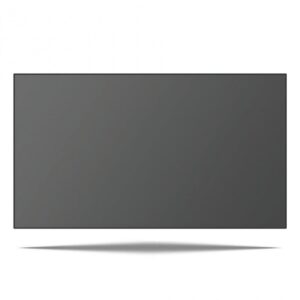
1. Sapphire 16:9 ALR Projector Screen, 120″
 Key features
- Designed for UST projectors
- Ultra-narrow bezel and even tension
- Black screen fabric with Fesnel lens technology
Pros
- 140-degree wide viewing angle
- An ultra-narrow bezel and even tension give the look of a large flat-screen TV
- Can be used with ceiling-mounted UST projectors, but must be flipped upside down
Cons
- Considerable price tag
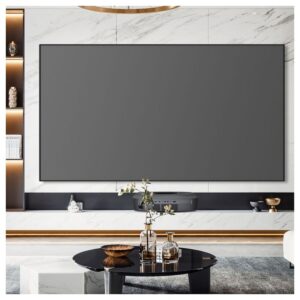
The Sapphire 16:9 ALR Projector Screen (120″) is designed specifically for ultra-short throw projectors, making it an excellent TV replacement in both bright and dark rooms. Its black Fresnel fabric with a directional grain pattern rejects ambient light, so unlike standard white or grey screens, it keeps contrast strong and colours accurate even with daylight in the room.
The material gain of 0.42 is lower than typical white screens, but that trade-off gives you richer black levels and a more cinematic look. Add in a wide 140-degree viewing angle, an ultra-narrow bezel for a sleek modern finish, and spring-tensioned fabric that stays perfectly flat, and this screen really shows off what your projector can do.
This is an instance where the size is given in diagonal inches, but doing the maths, a 120″ diagonal at 16:9 is a 266 cm horizontal width.
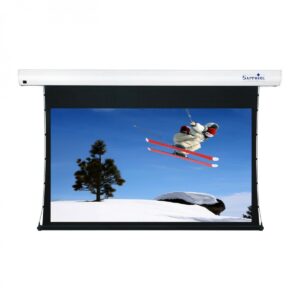
2. Sapphire Electric Tab Tensioned 16:9 Projector Screen, 106″
 Key features
- Electric drop-down tab-tension screen
- ISF-certified fabric
- IR remote and 10m trigger cable
Pros
- Adjustable mounting rails, to allow you to line up the brackets with wall studs
- Tab tensioned screens ensure that the screen is flat and ripple-free
- ISF-certified fabric enhances colour accuracy and contrast, so 4K and HDR content looks more lifelike and detailed
Cons
- Requires power
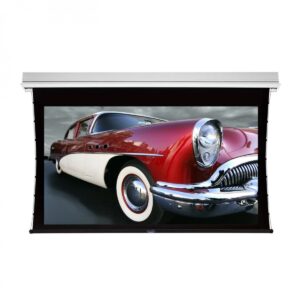
The Sapphire Electric Tab Tensioned 16:9 Projector Screen (106″) is a premium motorised option for home cinema or professional spaces. Its tab tensioning system pulls the fabric evenly across the frame, eliminating ripples and keeping the surface perfectly flat for pin-sharp projection.
Paired with ISF-certified fabric, it delivers excellent colour accuracy, contrast, and detail, making it ideal for 4K content. Operation is smooth and quiet at just 45dB, with control via the supplied IR remote or 10m trigger cable that links to your projector. Housed in a sleek aluminium case, it mounts to the wall or ceiling for a discreet, modern finish.
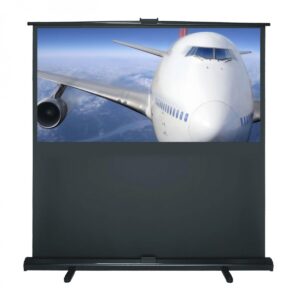
3. Sapphire Pull Up Portable 16:9 Scissor Action Projector Screen, 92″
 Key features
- 1:1 gain, matte white fabric
- Adjustable feet
- Scissor-action height adjustment
Pros
- Scissor-action design lets you pull it up in seconds
- Even light reflection: Matt white fabric with 1.0 gain and straight grain pattern
- Lightweight case with carry handle
Cons
- Lacks the flatness and polish of fixed-frame or tab-tensioned screens, so image quality won’t be quite as pristine
The Sapphire Pull Up Portable 16:9 Scissor Action Projector Screen (92″) is built for flexibility, whether it’s home cinema nights, office presentations, or classroom use. The scissor-action frame makes setup quick and smooth, while adjustable feet keep it stable even on uneven floors.
Its matte white fabric with a 1.0 gain and straight grain pattern reflects light evenly across the surface, giving you a wide viewing angle and consistent brightness from any seat. Lightweight yet durable, the case includes a carry handle, and the fabric is both fire-resistant and washable, making this screen practical, portable, and long-lasting.
FAQs
What is the best type of screen for a projector?
The best projector screen is the one that matches your room’s light, size, and projector type. There’s no one-size-fits-all; you need to think about the gain, grain, and size that will fit your setup best.
Is it worth buying a projector screen?
Yes, it is worth buying a projector screen. It improves brightness, sharpness, contrast, and consistency more so than a blank white wall.
How can I tell if a projector screen is good?
A good projector screen has the right gain, grain, and size for your room with a flat, wrinkle-free surface.
Final thoughts
Well… that was a lot to take in, wasn’t it? But we made it. You stuck with it. Or maybe you just skipped straight to the end. Who knows? Not me, I’m writing this in the past.
I’m breaking from tradition here, where I’d normally say “it’s up to you to decide” and leave you to it. Not this time. With projector screens, there actually is a definitive answer… kind of. The best projector screen for you all comes down to use case, environment, and scenario.
Like I mentioned earlier, if you’re swapping your TV for an ultra-short-throw projector, you’ll want to look at an ALR screen, especially if you don’t fancy living with the curtains drawn 24/7. On the flip side, if you have a dark room with full control over the light, you don’t need to spend silly money on niche screens with fancy coatings. A well-sized, neutral screen will give you everything you need. And if you’re somewhere in between, that’s fine too. Balance the screen to your space, not to a spec sheet.
So yes, there are endless acronyms and eye-watering price tags out there, but the real trick is much simpler: match the screen to the room and how you plan to use it. Do that and you’ll get the big-screen experience you’re chasing without throwing money away.





0 Comments