
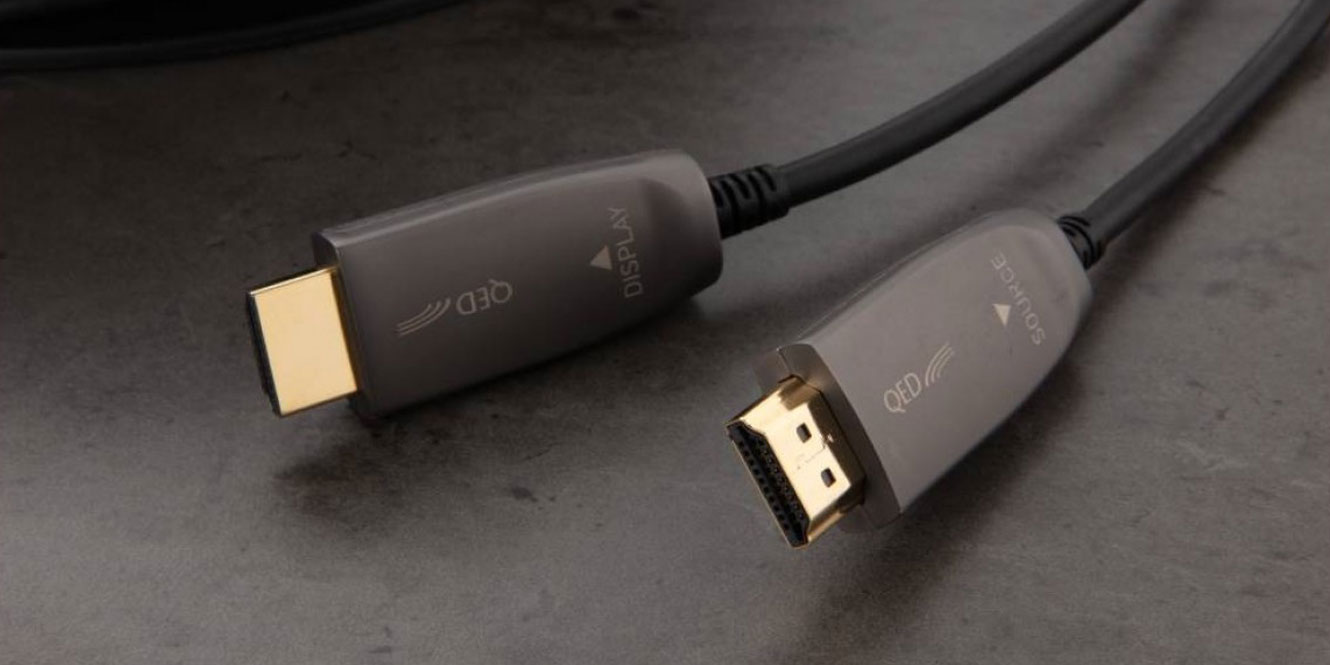

Despite landing on the home entertainment market back in 2002 as a single-cable solution for all your audio and visual needs, HDMI cables are still a source of confusion for many customers today. But never fear! We ‘techsperts’ at AV.com have imparted cable wisdom into this HDMI guide. We’ll help you understand the basics of HDMI as well as target common connectivity issues you may encounter. By the end, we’re confident you’ll have a better idea of which HDMI cable to buy.
So, what are HDMI cables and how can you make sure to select the right one for your needs?
What does HDMI stand for?
HDMI, which stands for High-Definition Multimedia Interface, facilitates the transmission of both video and audio in one single cable. This simplifies the installation of home entertainment set-ups while reducing the clutter of cables behind your TV. HDMI also provides a significant improvement to picture quality when compared to older mediums.
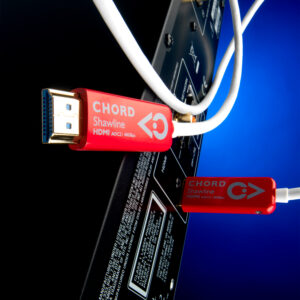
Less commonly known is HDMI’s impact on audio quality. Those of you with a keen eye may have noticed that the most high-end HDMI cables on the market are all manufactured by luxury Hi-Fi cable brands like Chord and QED. The quality of materials used inside their premium cables results in significantly enhanced audio quality. So much so, that premium HDMI audio could be a whole blog of its own.
In the meantime, read on for an overview of HDMI cable characteristics and how these impact the average home-audio-visual enthusiast.
Are all HDMI cables the same?
 In short, no: not all HDMI cables are the same. There are three main versions of HDMI cable that you will come across today, each allowing a different maximum picture quality.
The first is HDMI 1.4, which was introduced at the advent of high-definition video mode, 1080p. Following this was HDMI 2.0, compatible with a maximum resolution of 4K.
Finally, the most recent update to HDMI specifications was HDMI 2.1. This brought about the possibility of transmitting 4K at 120Hz and 8K at 60Hz for higher resolutions and impressive response rates.
Consequently, if you wish to game in 4K at a refresh rate of 120Hz, you must use an HDMI cable with version 2.1 specifications.
An HDMI cable of version 2.0 or lower does not have the bandwidth capability to carry such large amounts of data.
Cable Speed & Bandwidth
 On the subject of bandwidth, this is another factor to look out for when selecting an HDMI cable. In basic terms, bandwidth is the volume of data that can be transferred per unit of time. This typically runs in tandem with the HDMI specifications laid out above. Therefore, HDMI 1.4 has a bandwidth of 10.2Gbps; HDMI 2.0 has a bandwidth of 18Gbps + 24gbps; and HDMI 2.1 has a bandwidth of 48Gbps.
If your objective is to carry 4K content from a Blu Ray player to your 4K enabled TV, then you must use an HDMI cable with a bandwidth of at least 18Gbps. Otherwise, your endeavours to achieve 4K with Blu Ray will not succeed.
Typically, the ports on your AV products will be referred to by their HDMI version number—i.e., 1.4, 2.0, or 2.1—and the cables themselves will be referred to by their maximum bandwidth—i.e., 10.2, 18, or 48Gbps. This is because the TV port enables resolution and frame rate upgrades while the bandwidth simply certifies a cable’s ability to carry data from one end to another.
How long can an HDMI Cable be?
 The next factor is perhaps the most likely to catch customers out when setting up HDMI connections and it concerns cable length and relative quality. If you have tried to run long HDMI cables throughout your home only to find no picture transmitted when you finish, here is what could be going wrong.
This issue is commonly a result of the High-bandwidth Digital Content Protection protocol (HDCP2.2) built into HDMI cables and all other authorised 4K-enabled AV products. HDCP2.2 protects intellectual property and prevents the illegal recording of copyrighted material. It works by detecting and suspending transmissions between the source output and a connected recording device.
So how long can an HDMI cable be before this becomes an issue? In our experience, the longer the HDMI cable is, the better the cable quality needs to be. High-end cables are more likely to recognise when the HDCP2.2 protocol is being met, thereby performing better over long distances.
With that said, please be aware that HDMI is only guaranteed to a length of 5 metres. While cables longer than 5 metres are abundantly available on the market, creating them presents a design challenge to manufacturers. Extending HDMI cables requires more material and a stronger signal to carry data end to end. It also requires that the HDCP2.2 protocols are correctly implemented across a longer distance.
High-end HDMI cable brands tackle such a design challenge by introducing relays down the run of the cable. These relays provide a boost to the signal and ensure that full bandwidth and copyright protection protocols are achieved from end to end. In doing so, premium cable manufacturers reduce the occurrence of what are referred to as ‘handshake issues‘…
Be Aware of Handshake Issues
Handshake issues are interfacing disagreements between different AV products. For example, your 4K-enabled AV receiver may detect insufficient fulfilment of HDCP2.2 protocols somewhere along the length of your 20-metre HDMI cable. As a result, the device will introduce a black screen (or intermittently flicker with black every few seconds) to interrupt the consistent stream of 4K content.
This issue can occur when an older cable develops weaknesses along its length or when a new cable has been insufficiently manufactured. To further complicate matters, the rules and norms surrounding this protocol are not always a given. One AV product might have stricter criteria for creating a successful handshake than another. Therefore, results may vary.
While these issues caused by HDCP2.2 protocols can have frustrating implications for the average AV enthusiast, they are crucial for upholding and protecting the intellectual property rights of artists and creators. For the best chance of avoiding handshake issues during the set-up and configuration of a new system, we highly recommend selecting a premium HDMI cable from a reputable manufacturer.
Our Advice
Our closing advice to you is this: always be prepared to try a different HDMI cable. Due to nuances in cable design and manufacture, results can vary. If your new cable is not working, it could be the result of a handshake issue or insufficient bandwidth.
For the best results, make sure to connect and test your AV system fully before running cables through your walls. This means you can rule out any of your individual devices and displays as culprits when a connectivity issue arises.
As a general rule of thumb, you will give yourself the best chance of connectivity success when you buy the highest specification and quality of cable. In doing so there is the added benefit of futureproofing your system for whatever technology may come next.
Ultimately, we hope this helps you identify the key differences between HDMI cables. We’re confident that if you follow the principles outlined above, you will pick the right cable for your unique AV setup.
However, if you are still at all unsure, you can’t go wrong with any of the recommendations below…
Which HDMI cable to buy…
Best all-rounder: Chord C-view HDMI Cable (1.5m)
Best for gaming: Chord Clearway 8K HDMI Cable (1.5m)
Best on a budget: QED Performance Ultra High Speed HDMI 2.1 Cable (1.5m)
Best for audio quality: Chord Shawline HDMI AOC 8k (48Gbps) Cable (2m)
Best for long cable runs: QED Performance Active UHD HDMI Cable 15m at AV.com (15 m)






0 Comments