
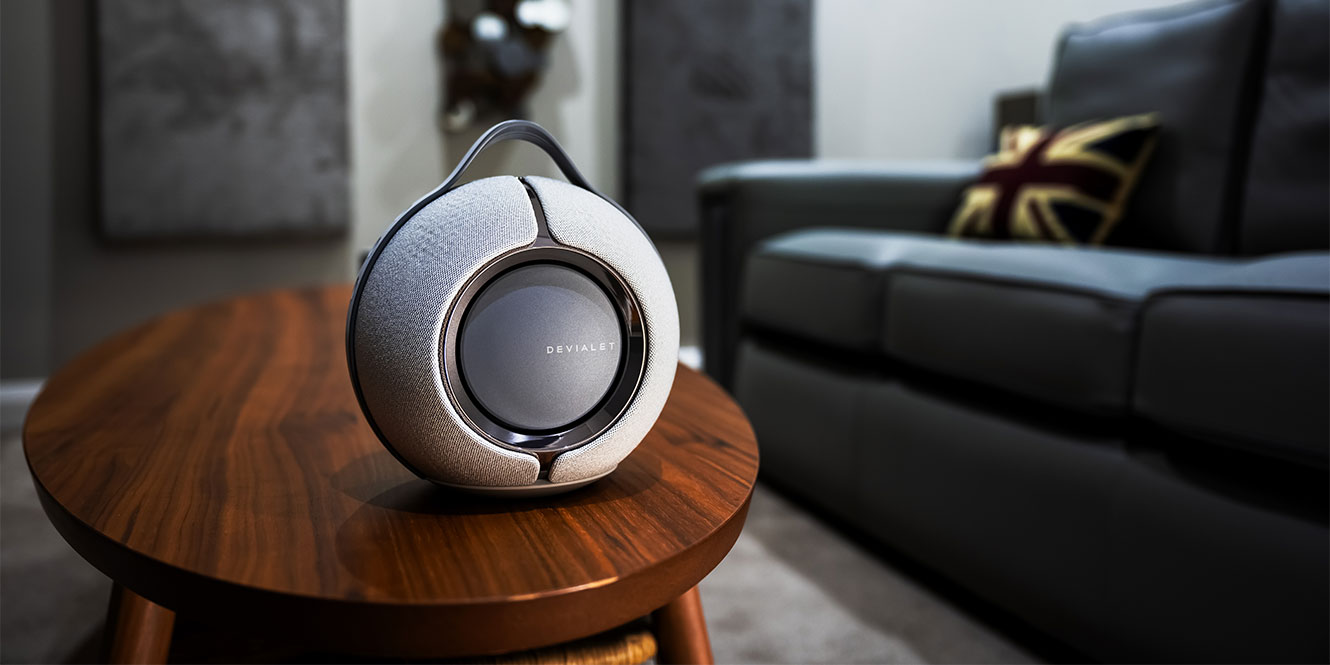

If you’re looking for a convenient speaker that lets you listen to your favourite music, podcast, or radio station without moving a muscle, you’ll need something voice-activated. So, we’ve put together a list of the best speakers with Alexa.
But what is Alexa? Back in 2014, Amazon introduced their first Echo device, a product you could control using just your voice. This opened up a world of possibilities and made it feel as though the future had arrived.
However, it wasn’t until 2015–2017 that Alexa evolved from being part of Amazon’s ecosystem into a platform that could be integrated into products from other audio brands.
Throughout this article, we’ll explain why each Alexa-enabled speaker made the list, share our thoughts on its performance, and help you identify which features matter most to you. We’ll also cover something that’s not always made clear: not all Alexa-enabled products offer the same features.
In a hurry?
| Devialet Mania Portable | The best premium portable speaker with Alexa: incredible sound, hypnotic pulsating bass drivers, and effortless Alexa control. | Check the current price |
| Sennheiser Ambeo Plus Soundbar and Subwoofer | The best soundbar and subwoofer combination with effortless hands-free Alexa control. No extra speakers, no faffing, just premium cinematic simplicity! | Check the current price |
| WiiM Sound Wireless Speaker | Best all-round speaker with Alexa enabled, coming with a clever rotating display, detailed stereo sound, and push-to-talk Alexa. | Check the current price |
Why we’ve chosen these Alexa speakers
We understand that everyone has different requirements when using Alexa, but we felt that all the speakers on our list should have their own built-in amplification. This ruled out AV receivers and integrated stereo amplifiers.
We then looked at how well Alexa integrated with each product.
We’ve also organised our picks into categories, making it easier for you to find what you’re looking for, whether that’s a soundbar or a portable speaker. We think you’ll struggle to find such a varied selection elsewhere that performs as well.
The best speakers with Alexa
1. Devialet Maina Portable Wireless Speaker
 Key features
- Adaptive 360° stereo sound
- SAM (Speaker Active Matching)
- Hands-Free Alexa
Pros
- Incredibly punchy bass
- Exquisite design that tells you this is a premium brand
- It delivers vocals just as well
Cons
- The bass reproduction can sometimes stifle the midrange
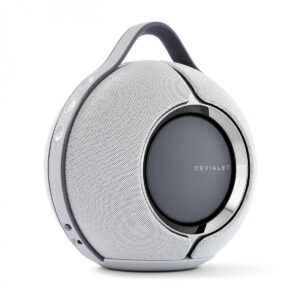
There is a reason why the Devialet Maina Portable Wireless Speaker is at number one. I like this speaker a lot!
There are very few speakers of this size that sound as good. Yes, it comes with a high price tag for something so compact, but as they say, good things come in small packages.
From the moment you start playing music through this portable speaker, you understand why it’s so highly praised. In fact, I find it mesmerising. Watching those bass drivers pulsate is almost hypnotic.
That aside, it’s incredibly easy to use and does exactly what it promises. Alexa makes things even simpler. Just say “Alexa”, followed by your command, and the speaker responds. That’s why it’s our pick for the best premium portable speaker with Alexa.
2. Sennheiser Ambeo Plus Soundbar and Subwoofer
 Key features
- Virtual 7.1.4 surround sound
- 9 Class-D amplification
- Comes with a matching subwoofer
Pros
- Made for cinema and music
- With dedicated amplification, it brings isolated clarity to vocals
- Its build quality is one of the best we’ve seen
Cons
- No option to connect rear speakers
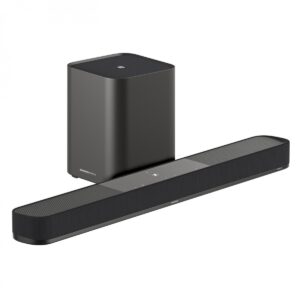
The Sennheiser Ambeo Plus Soundbar and Subwoofer system uses four built-in microphones for both room calibration and voice commands, making it incredibly easy to use. I suspect that people looking to control their electronics with their voice don’t necessarily want an array of speakers scattered around the room.
As a two-box solution, it uses these microphones to measure the room’s acoustics and adjust for timing delays, peaks and dips in the frequency response. This helps create a virtual 7.1.4 surround soundstage with Dolby Atmos and DTS:X, without the need for additional speakers. Once you’ve completed the calibration process, you’re ready to go.
As for Alexa integration, the Sennheiser is the only other product on this list to have Alexa built in, allowing for hands-free voice control. Wherever you are in the room, you just need to say “Alexa”, followed by your command, and the soundbar responds. No faffing around with additional devices. Simplicity is key.
For me, this is where the AMBEO Plus really comes into its own. When it comes to ease of use and Alexa integration, I think it makes a stronger case for itself than its larger counterpart. That’s why I’m happy to name it our best premium soundbar with Alexa.
3. WiiM Sound Wireless Smart Speaker
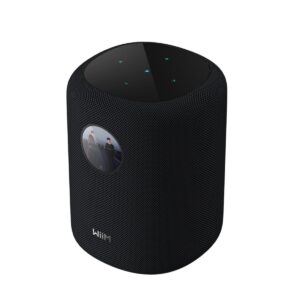 Key features
- 8-inch colour touchscreen
- AI RoomFit
- Expandable ecosystem
Pros
- Customisable EQ lets you adjust the sound to suit your preferences
- Push-to-Talk Alexa allows you to use Alexa on your terms
- Engaging soundstage delivers surprisingly good rhythmic performance
Cons
- No built-in microphone means there’s no option for hands-free Alexa control
From the first day I tested the WiiM Sound Wireless Smart Speaker at our Bacup showroom, I was impressed by the level of detail WiiM had put into its design.
I particularly like how the display shows a rotating record when you’re playing music. I’m a bit geeky that way, but it’s these small details that show just how much thought has gone into the product.
Unlike the two speakers above, which offer hands-free Alexa control, this is the first product on our list to use another common configuration: Push-to-Talk.
This is ideal for people who don’t want their smart devices constantly listening for a wake word.
When you want to use Alexa, simply pick up the remote and press the Push-to-Talk button. Alexa is then ready to respond to your command.
Musically, it’s difficult to fault this speaker. It’s a genuine stereo product, using two tweeters and a single bass driver, all housed within a compact, single-unit design. It covers much of the audible frequency range, with the bass starting to roll off at around 50Hz. That’s respectable considering it only has a four-inch woofer.
Overall, it’s a well-rounded speaker that delivers impressive sound for its size. However, it takes third place because it doesn’t have a built-in microphone, meaning you’re limited to Push-to-Talk rather than having the option of hands-free Alexa control.
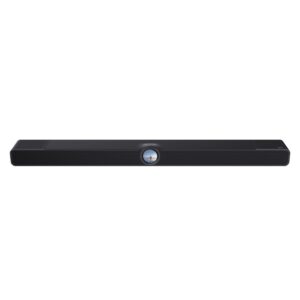
4. WiiM Bar Soundbar
 Key features
- Expandable ecosystem
- DTS:X support
- 135W eight-driver configuration
Pros
- Dedicated centre channel brings clear, coherent vocals to the forefront
- Convincing Dolby Atmos height effects from the up-firing speakers when paired with a suitable ceiling
- Intuitive app is packed with practical features that make operation simple
Cons
- Limited bass output means you’ll need a subwoofer to fully appreciate the WiiM’s soundstage
WiiM products do make quite an appearance in this lineup, and it’s no surprise to see the WiiM Bar Soundbar here. Like other Alexa-enabled WiiM products, the Bar uses the Push-to-Talk method via its remote control.
It works exactly as you’d expect, without any issues. Simply press the button on the side of the remote to activate Alexa. If you’re old enough to remember CB radios, you’ll find the process familiar, although saying “over” won’t get a “roger” from Alexa unless you’ve programmed it to respond that way.
Like the WiiM Sound, you can customise the display to show rotating album artwork, a static image, or track information. You can even choose a VU meter display, which is a nice touch for those who appreciate that classic audio aesthetic.
As a standalone soundbar, it’s difficult to fault. It’s an extremely capable performer and has come close to taking the top spot in other articles I’ve written. However, the reason it sits in fourth place here is the lack of built-in microphones for hands-free Alexa control.
Instead, you need to have the remote to hand whenever you want to use Alexa. It’s a very compact remote, too, and if you’re anything like me, with a collection of remotes scattered around the room, there’s a good chance it’ll quickly disappear out of sight.
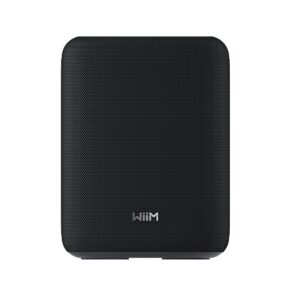
5. WiiM Sound Lite Wireless Smart Speaker
 Key features
- 100W peak power delivered through a 4-inch long-throw woofer and two 1-inch tweeters
- AI RoomFit calibration
- Hi-res streaming supports audio up to 24-bit/192kHz
Pros
- Warm, clear sound quality delivers excellent vocal clarity, setting it apart from the competition
- Easy installation makes setup straightforward and intuitive
- Powerful sound makes it feel much bigger than its compact size suggests
Cons
- Limited performance in very large rooms means it may struggle to fill bigger spaces with sound
The WiiM Sound Lite Wireless Smart Speaker is the only product on our list that requires an additional purchase from WiiM to access Alexa: the Voice Remote 2. Once you’ve bought this, you’re ready to go with another Push-to-Talk solution.
Another feature you lose with the Sound Lite is the LED display and its rotating album artwork. However, if that’s not something you need, the Sound and Sound Lite deliver identical audio performance. This means you can save yourself a few quid if those extra features aren’t important to you.
You also get access to the AI RoomFit calibration system through the WiiM app, allowing you to optimise the speaker’s sound for your room. When you want to use Alexa, simply press the voice control button on your chosen remote.
As mentioned, the Sound Lite delivers the same audio performance as its more expensive counterpart, just without some of the additional features. If you’re happy to go without them, there’s little reason not to choose it. After all, it’s earned its place on this list for good reason.
How to choose the best Alexa speaker for you
When choosing any speaker, there are always a few basics to consider. This doesn’t change when choosing an Alexa-enabled speaker, although there are some additional requirements to think about.
First, let’s cover the basics. What will you be using the speaker for? As you can see from our list, there are plenty of options, from portable speakers and standalone stereo solutions to soundbars. The latter can improve your TV’s soundstage while also delivering better audio performance than many of Amazon’s conventional Echo devices.
Next, you’ll need to measure up to make sure you have enough space for your chosen speaker setup. Some products require more than one power socket, while others may be larger than they appear in the website photos.
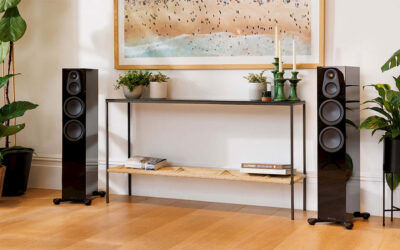
With a traditional stereo setup, it’s best to position your speakers and listening position in an equilateral triangle, with equal distances between all three points. This generally helps create a balanced stereo image and a convincing soundstage.
Then there’s Alexa itself. With three different ways to access Alexa through your speakers, you’ll need to decide how much control you want.
The simplest option, particularly if you already own an Amazon Echo device, is to use it to control a compatible Alexa-enabled speaker. This allows the speaker to work within Amazon’s Alexa ecosystem, potentially giving you more than just basic playback controls when streaming music.
Now, you might be wondering how to control your speaker if your Echo is in another room. One option is to place another compatible Alexa device in the room where you’ll be listening. Alternatively, you can use the Alexa app on your smartphone, depending on the speaker’s compatibility.
The other two options are hands-free Alexa and Push-to-Talk. Both allow you to use Alexa without needing a separate Echo device, although they work in slightly different ways.
With hands-free Alexa, the speaker’s built-in microphones listen for the wake word, allowing you to give voice commands without touching anything. Push-to-Talk, on the other hand, only activates voice control when you press the designated button on the speaker or remote.
Ultimately, the choice comes down to convenience and personal preference. If you want to control your speaker from anywhere in the room, hands-free Alexa is the more convenient option. If you’d rather activate voice control only when you need it, Push-to-Talk might be a better fit.
Author’s insight: understanding compatibility and naming conventions
If you’re looking to set up speakers in multiple rooms, it’s important to understand the differences in compatibility. You might see speakers that use DTS Play-Fi, like the SVS Prime Wireless Pro — these are Alexa-enabled but don’t have Alexa built in. Essentially, this means they work alongside compatible Echo devices, but they may offer fewer voice control features.
Once you have your speakers, it’s a good idea to establish a naming convention, particularly if you plan to expand your Alexa setup over time. Device names should feel natural and easy to remember. There’s also nothing wrong with having multiple Alexa-enabled devices in the same room, provided you’ve organised them correctly.
A memorable naming convention allows you to do things like walk into your home cinema room and give a single command that turns on your TV, soundbar, subwoofer, and rear surround speakers, while setting the lighting to 50% brightness.
By giving your devices and groups distinct, recognisable names, you can make sure Alexa understands exactly what you want to control. Get this right, and your Alexa smart home routines become much easier to manage.
FAQs
Which Alexa speaker has the best sound quality?
The Alexa speaker with the best sound quality depends on its setup, but for me it’s the Devialet Maina, Sennheiser Ambeo Plus, and WiiM Sound.
Which Echo speaker is best to partner with my DTS Play-Fi speaker?
Any Echo device will work with a DTS Play-Fi speaker, but it’s always best to use the most up-to-date version, as this ensures you have access to the latest Amazon software, which is the most important factor.
Is it worth getting a smart speaker?
A smart speaker is worth buying if you want voice activation, hands-free convenience, and Wi-Fi connectivity. It might not have the same sound quality as hi-fi speakers, but it is more convenient.
Final thoughts
Testing these products showed me that you absolutely can have portability, good sound quality, and the convenience of Alexa all in one speaker. Hopefully you find something on this list that makes your life a little easier and lets you enjoy your music to the full!




0 Comments