


Multi-room audio once meant channelling cables through walls, ceilings, and floors just to connect your system. It was an expensive and elaborate way to solve a fairly simple problem, but it’s what we had to deal with in the ’90s and early ’00s.
But now, thanks to the constant and unwavering march of technology, we can achieve the same result… without the wires.
So, with all this new-fangled wireless wizardry at our disposal, what are the best multi-room speakers? To that I say: it depends. But I’ve pieced together a few of my favourites below, based on real-world application and functionality, as well as the all-important factors of sound quality and user experience.
So, let’s get into it.
In a hurry?
Here are my absolute favourites:
| Triangle AIO Twin Active Speakers | A convincing sound stage giving the illusion of a "traditional" system setup | Check the current price |
| WiiM Sound Wireless Smart Speaker | A speaker with a display screen to show you what's playing; most others have no screen interface | Check the current price |
| Naim Mu-so 2nd Generation | Exceptionally wide sound stage, with the OS and amplifier section borrowing from their high-end amp design principles | Check the current price |
What is a multi-room speaker?
A multi-room speaker is exactly what it sounds like: a speaker designed to play music in multiple rooms of your home as part of one connected system.
Instead of running speaker cable through walls and back to a central amplifier, multi-room speakers usually connect over Wi-Fi, letting you place them around the house and control everything from an app. You can have the same song playing in the kitchen, living room, and bedroom, or set up different zones so each room plays something different.
Some systems also let you pair speakers for stereo sound, connect to TVs, or add weather-resistant speakers outside for the garden or patio. In short, they give you flexible whole-home audio without needing to rewire the house.
The best multi-room speakers
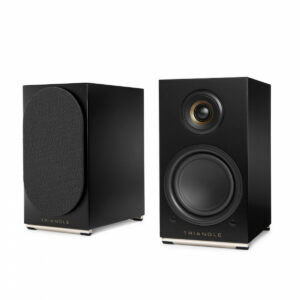
1. Triangle AIO Twin Active Speakers – The best value-to-performance active bookshelves
 Key features
- Wi-Fi and Bluetooth streaming
- Built-in MM phono stage
- 2 x 50W amplification
Pros
- Multiple colour options
- Deep, full-range performance
- Built-in phono stage is genuinely very good
Cons
- The active and passive speakers need to be cabled together
I’m personally a big fan of the Triangle AIO Twin. The older LN01A platform (RIP) on which these were built was already excellent, and the AIO Twin takes that same active bookshelf formula and adds proper multi-room functionality. In other words, you still get the compact, punchy, genuinely hi-fi-feeling performance Triangle does so well, but with the added convenience of app-based wireless streaming.
Active speakers in the hi-fi world have always had a slight stigma, usually around the idea that you are compromising sonically for convenience. However, listen to these with your eyes closed, and you could almost convince yourself there is a separate amp in the mix.
I’m not entirely sure what Triangle have done in the tuning, but they do not sound like “active speakers” in the usual sense. They have weight, space, and a proper sense of drive.
Build quality is solid, with a neat, lifestyle-friendly design and a good choice of finishes. Connectivity is also excellent, with Wi-Fi, Bluetooth, optical, analogue, and a built-in MM phono stage. To use them in multi-room, connect them through the Triangle AIO app, then group compatible AIO products by room. The app is minimal, but very functional, which is no bad thing.
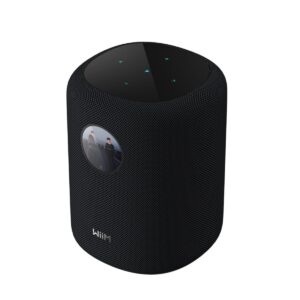
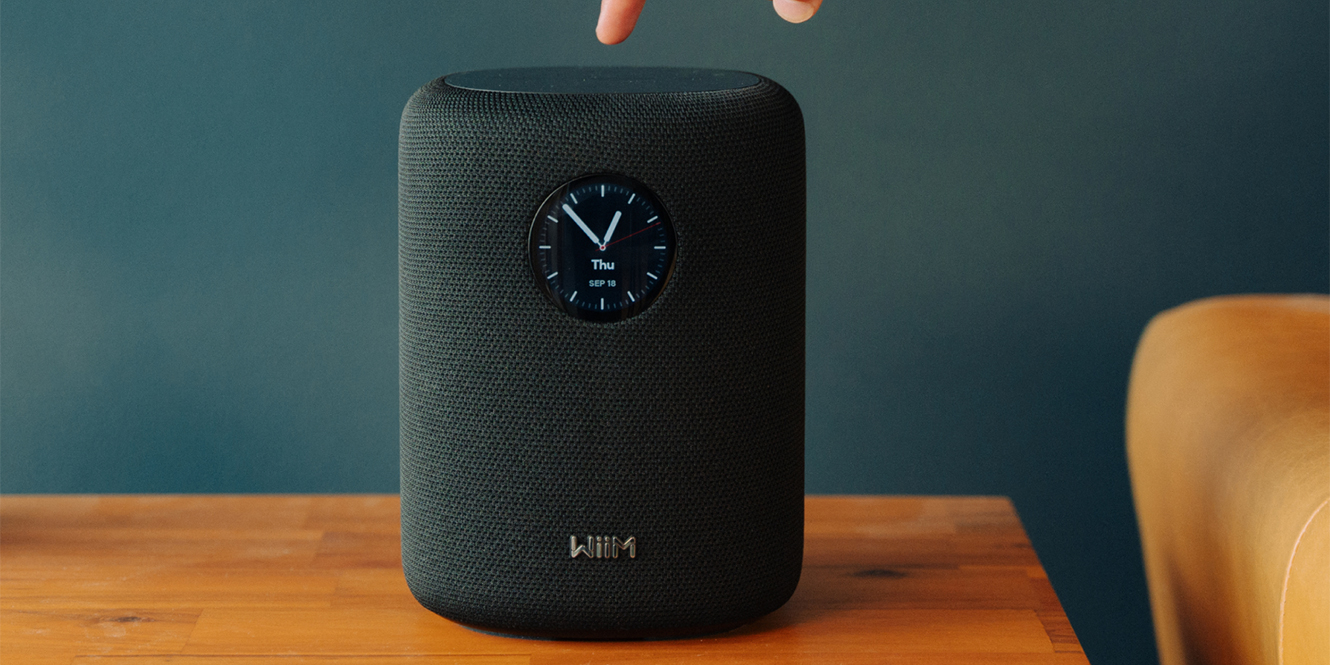
2. WiiM Sound Wireless Smart Speaker – The best entry into an ecosystem
 Key features
- WiiM Home app control
- Built-in colour touchscreen display
- Wi-Fi, Bluetooth, AirPlay 2, Spotify Connect, TIDAL Connect, and Alexa Cast support
Pros
- Sounds bigger than it is
- The WiiM ecosystem is very easy to get into
- The little screen shows what’s playing, which is quite fun, isn’t it?
Cons
- Artwork shown on the circular screen can appear cropped
First of all, what is an ecosystem? In hi-fi terms, an ecosystem is essentially a family of products that are designed to work together through the same app, streaming platform, or control system.
So, KEF’s multi-room setup will work slightly differently from WiiM’s, and vice versa, because each manufacturer naturally wants you to buy into their way of doing things. Think of it a bit like Apple gear working best with other Apple gear. Same sort of idea.
The WiiM Sound is a brilliant entry point into this kind of setup because the WiiM ecosystem is genuinely easy to get to grips with. The app is clean, the setup is painless, and grouping multiple WiiM products together is very straightforward. Just add each speaker or streamer to the WiiM Home app, assign them to rooms, then group them together when you want them playing the same thing.
Build quality is tidy, the little screen is genuinely quite fun, and the speaker sounds larger than it looks. There is proper scale here for something so compact, making it a very easy first step into multi-room audio. They also do a Lite version without the screen.
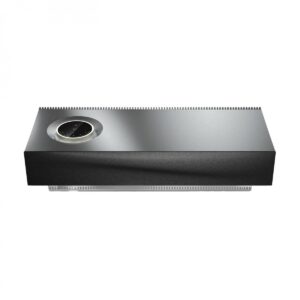
3. Naim Mu-so 2nd Generation Wireless Speaker System – The best one-box solution
 Key features
- 450W all-in-one wireless speaker system
- HDMI ARC, optical, USB, Wi-Fi, Bluetooth, AirPlay 2, Chromecast, and Spotify Connect
- Multi-room support with other Naim streaming products
Pros
- Wide soundstage that sounds more like actual speakers
- Multi-room works with Naim’s network amplifiers
- Touch controls and volume dial look like something out of Blade Runner
Cons
- Bass response can vary depending on the surface it is placed on
As you can probably tell, I’m a big fan of Naim gear. I use Naim equipment myself, so the Naim Mu-so was always going to interest me, but even putting that bias to one side, this is a seriously impressive one-box system.
The main thing is that it sounds better than a one-box solution has any right to. The dispersion is excellent, creating a wide, room-filling soundstage that feels much closer to listening to a pair of proper speakers than a single wireless unit. Detail is clear across the room, vocals sit nicely in the mix, and there is enough scale and authority to make it feel like a genuine main system.
Aesthetically, it’s brilliant. The machined metal chassis, recessed illuminated volume dial, touch controls, and underlit Naim plinth make it feel more like something from Blade Runner than a conventional wireless speaker. Connectivity is also strong, with HDMI ARC letting it double as a very fancy soundbar.
Multi-room setup is handled through the Naim app, where you can add the Mu-so, group it with other Naim streamers or network amplifiers such as the Uniti Atom, and access useful customisation options. Just be aware that bass response can change depending on surface material, with wood generally suiting it better than glass.
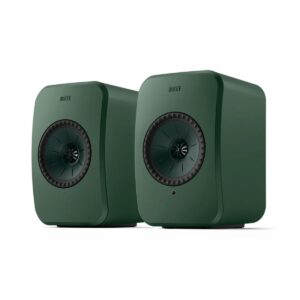
4. KEF LSX II LT Wireless Hi-Fi Speaker System – The best compact hi-fi option
 Key features
- Uni-Q driver array
- Wi-Fi, Bluetooth, HDMI ARC, USB-C, optical, and Ethernet connectivity
- Multi-room support through AirPlay 2, Chromecast, and Roon
Pros
- Great bass response for something so small
- Network functionality has vastly improved since the older KEF network speakers
- Lots of fun, and less fun, colour options
Cons
- KEF’s app UI is really not my cup of tea
The KEF LSX II LT is a great choice if you want proper hi-fi sound from something compact, stylish, and easy to fit into a normal room. KEF has always been good at making small speakers sound bigger than they should, and the LSX II LT carries that on nicely.
For a speaker this size, the bass response is surprisingly convincing, with enough low-end weight to make it feel substantial without needing to immediately reach for a subwoofer.
Build quality is exactly what you would expect from KEF: clean, modern, and very nicely finished. There are also plenty of colour options, ranging from sensible to slightly more fun, so they can either blend into a room or stand out a bit, depending on your taste.
The biggest improvement, for me, is the network functionality. Older KEF wireless systems could be a bit temperamental, but the LSX II LT feels much more stable and refined. Setup is handled through the KEF Connect app, where you add the speakers to your network and control streaming services. For multi-room, you can group them using AirPlay 2, Chromecast, or Roon, depending on your setup.
The only real downside is the app UI, which really is not my cup of tea. Functionally, though, it does the job.
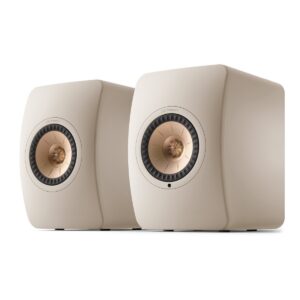
5. KEF LS50 Wireless II Bookshelf Speakers – The best premium active bookshelves
 Key features
- Dedicated amplification for each driver
- HDMI eARC for TV connection
- Supports up to 24-bit/384kHz playback
Pros
- Bigger and more powerful than its LSX little brother
- Excellent bass extension
- 12th-generation Uni-Q with MAT driver array
Cons
- Deceptively heavy, so you will want a good stand or sturdy unit
The KEF LS50 Wireless II is what you move to when you like the idea of the LSX, but want more of everything. More scale, more power, more bass extension, and a more convincing sense that you’re listening to a serious hi-fi system rather than a clever pair of wireless speakers.
The 12th-generation Uni-Q driver array with MAT is doing a lot of heavy lifting here, giving the LS50 Wireless II that classic KEF sense of focus and cohesion. Vocals sit beautifully in the centre, stereo imaging is sharp, and there is a level of clarity that makes them feel properly premium. The bass extension is excellent too, especially for a standmount speaker, with enough depth and control to make them feel genuinely full-range in most rooms.
Build quality is very strong, although they are deceptively heavy. These are not speakers you want wobbling about on a cheap stand or lightweight sideboard, so a proper pair of stands or a sturdy unit is very much recommended.
Connectivity is excellent, with HDMI eARC, optical, coaxial, analogue, Bluetooth, Wi-Fi, and Ethernet all available. Setup is handled through the KEF Connect app, and for multi-room listening, you can group them using AirPlay 2, Chromecast, or Roon, depending on the rest of your system.
6. Devialet Phantom Ultimate 108 dB Wireless Speaker – The best statement speaker
 Key features
- Available in 108 dB and smaller 98 dB versions
- Supports stereo pairing with a second Phantom speaker
- Wi-Fi, Bluetooth, AirPlay, Spotify Connect, and Roon Ready support
Pros
- Excellent depth and sound quality for something ultimately quite small
- Available individually or as a pair, depending on your needs
- Various colourways, including special Opéra de Paris versions
Cons
- Expensive
The Devialet Phantom Ultimate 108 dB is one of those speakers that feels slightly ridiculous in the best possible way. It’s not a traditional hi-fi speaker, and it’s not trying to be. It is a compact, sculptural, very French-looking wireless speaker that somehow manages to sound far bigger than its physical size would suggest.
The main thing that stands out is the depth. For something that is ultimately still a relatively small one-box speaker, the Phantom produces a level of bass weight and scale that feels genuinely surprising. It has that “where is that coming from?” quality, with a clean, powerful presentation that works brilliantly if you want room-filling sound without a conventional amp-and-speaker setup.
Build quality is excellent, and aesthetically, it’s more of a statement piece than something designed to disappear into the background. You can buy it as a single speaker or pair two together for proper stereo, depending on the room and how far you want to take things.
Connectivity is handled through the Devialet app, where you can add the speaker to your network, adjust settings, and group compatible Devialet speakers together. The only real catch is the price, but then again, subtle and sensible were never really the point here.
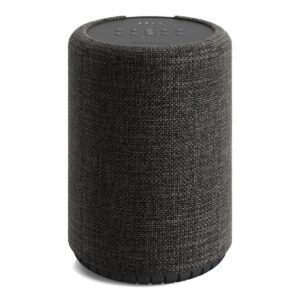
7. Audio Pro G10 Wireless Smart Speaker – The best smart multi-room speaker
 Key features
- Built-in Google Assistant voice control
- Multi-room via AirPlay 2 and Google Cast
- Wall and track mountable design
Pros
- Compact footprint makes it easy to place
- Clear, room-filling sound for its size
- Works well if you already use Google or AirPlay devices
Cons
- Not compatible with Audio Pro’s own multi-room app
The Audio Pro G10 is a slightly unusual one, because despite being an Audio Pro speaker, it does not use the standard Audio Pro multi-room app. Instead, it leans into AirPlay 2, Google Cast, and built-in Google Assistant, which makes it a very good option if your home is already built around Apple or Google devices.
Build quality is strong in that understated Scandinavian way Audio Pro does so well. It’s compact, tidy, and easy to place without looking like a bit of tech that has been awkwardly wedged onto a shelf. It can also be wall or track-mounted, which gives it a bit more flexibility if surface space is at a premium.
Sound-wise, it does a lot with a fairly small cabinet. You get a clear, nicely dispersed presentation that works well in kitchens, bedrooms, offices, and smaller living spaces. It’s not trying to replace a full hi-fi system, but for casual listening and multi-room use, it makes a lot of sense.
For setup, add the G10 through Google Home or Apple AirPlay, then group it with other Google Cast or AirPlay 2-compatible speakers. Just bear in mind that it sits outside Audio Pro’s own app ecosystem, which is either a drawback or a blessing depending on your setup.
How do multi-room speakers work?
Under the bonnet, most multi-room systems use network communication to keep everything talking to each other. Each speaker has its own IP address on your network, a bit like your laptop, phone, or smart TV, which allows the app to find it, name it by room, and control what it plays.
Some systems also use mesh-style networking, where speakers can help pass information between each other rather than relying entirely on one central router connection. This is especially useful in larger homes or when speakers are spread across different rooms and floors.
The app acts as the control centre. It lets you group speakers, split them into zones, adjust volume, and choose what each room is playing. In many cases, your phone is not actually streaming the music directly. Instead, it sends instructions, and the speaker pulls the audio itself from Spotify, TIDAL, internet radio, or another service.
Behind the scenes, audio data is sent in packets, buffered briefly, and synchronised so grouped speakers stay locked together. If one speaker has a weaker connection, the system can adjust timing and buffering to compensate. When it works properly, you don’t notice any of this.
Things to consider when buying multi-room speakers
If you’re looking for your first multi-room speaker setup, the first thing to think about is where the speaker will live. A compact speaker might be perfect for a kitchen, bedroom, or office, but it probably won’t give you the same scale as a pair of active bookshelf speakers in a main living room. Bigger rooms generally need more power, larger drivers, or stereo pairs to properly fill the space without sounding strained.
You should also think about how many amplifiers are built into the system. Some active speakers use dedicated amplification for each driver, which can help with control, clarity, and overall performance. Others are simpler all-in-one designs built more around convenience than outright hi-fi performance. Neither is wrong, but they serve slightly different purposes.
Connectivity is another big one. Wi-Fi is usually best for multi-room audio, as it offers better range and stability than Bluetooth, while Bluetooth is still useful for quick, casual playback. Also check for AirPlay, Chromecast, Spotify Connect, TIDAL Connect, HDMI, optical, or phono inputs, depending on what you want to connect.
Finally, look at the app and ecosystem. The best speaker on paper can quickly become annoying if the app is clunky or the system does not play nicely with the rest of your home.
How to set up your multi-room speakers
Setting up multi-room speakers is usually fairly painless, provided your Wi-Fi is behaving itself and you are relatively tech-savvy.
First, place each speaker where you want it and connect it to power. Then, download the manufacturer’s app and follow the setup instructions to add each speaker to your home network. This usually involves selecting the speaker, choosing your Wi-Fi network, and entering your password.
Once connected, name each speaker by room, such as Kitchen, Living Room, Bedroom, or Office. This makes grouping and controlling them much easier later. Next, link your preferred streaming services in the app, whether that is Spotify, TIDAL, or another platform.
From there, you can create groups or zones. For example, you might group the kitchen and living room together during the day, then use the bedroom speaker separately at night. Finally, check for firmware updates, adjust EQ settings if available, and play something familiar to make sure everything sounds right.
What about outdoor speakers?
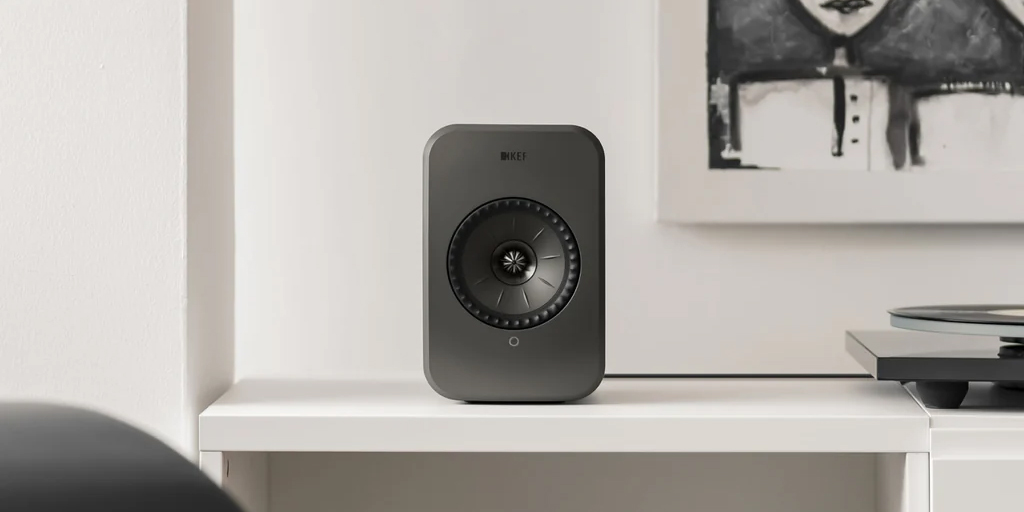
Some multi-room speakers can be used outdoors, but you do need to be careful. A speaker that works beautifully in a living room is not automatically ready to survive British weather, which, as we know, has a flair for the dramatic.
The first thing to check is weather resistance. If the speaker is going to live outside permanently, it needs to be properly weatherproofed, ideally with an IP rating that protects it from rain, dust, and changing temperatures.
That said, I actually struggle to think of many properly weatherproof network speakers, so for permanent outdoor setups, you may be better off looking at dedicated outdoor speakers connected to a compatible streaming amplifier instead.
Power is also important. Outdoor spaces do not have walls to help to reflect sound back at you, so speakers often need more volume, stronger bass, and wider dispersion to sound full and balanced.
Finally, make sure your Wi-Fi reaches the garden or patio reliably, as otherwise you won’t get very far at all.
FAQs
What is the 83% rule for speakers?
The 83% rule for speakers is all about their placement: the distance between the tweeters of two speakers should be 83% of the distance from the tweeter to your ears. This setup helps create a spacious and balanced soundstage.
What do I need for multi-room audio?
A stable WiFi network, compatible speakers or streamers, and a control app are the essentials for multi-room audio. You can start with one room, then expand over time by adding more speakers from the same ecosystem.
Is my Wi-Fi fast enough for multi-room speakers?
Stable whole-home Wi-Fi coverage matters more than headline speed when it comes to multi-room speakers. If your Wi-Fi reaches every room reliably and streams music without dropouts, it’s usually suitable for multiroom speakers playing together.
Final thoughts
Multi-room audio is one of those things that sounds a bit fancy until you actually use it. Then it just becomes normal. Music in the kitchen, radio in the bedroom, something chilled in the living room — all without moving speakers around or messing with cables.
The main thing is not to overthink it. Start with the rooms you use most, make sure your Wi-Fi is solid, and choose a setup that feels easy to live with day to day.
You do not need to kit out the whole house in one go, either. Start small, add rooms when it makes sense, and before long, you’ll have a system that just quietly makes the home feel a bit better. We hope our list of the best multi-room speakers has helped you choose the right system!






0 Comments