
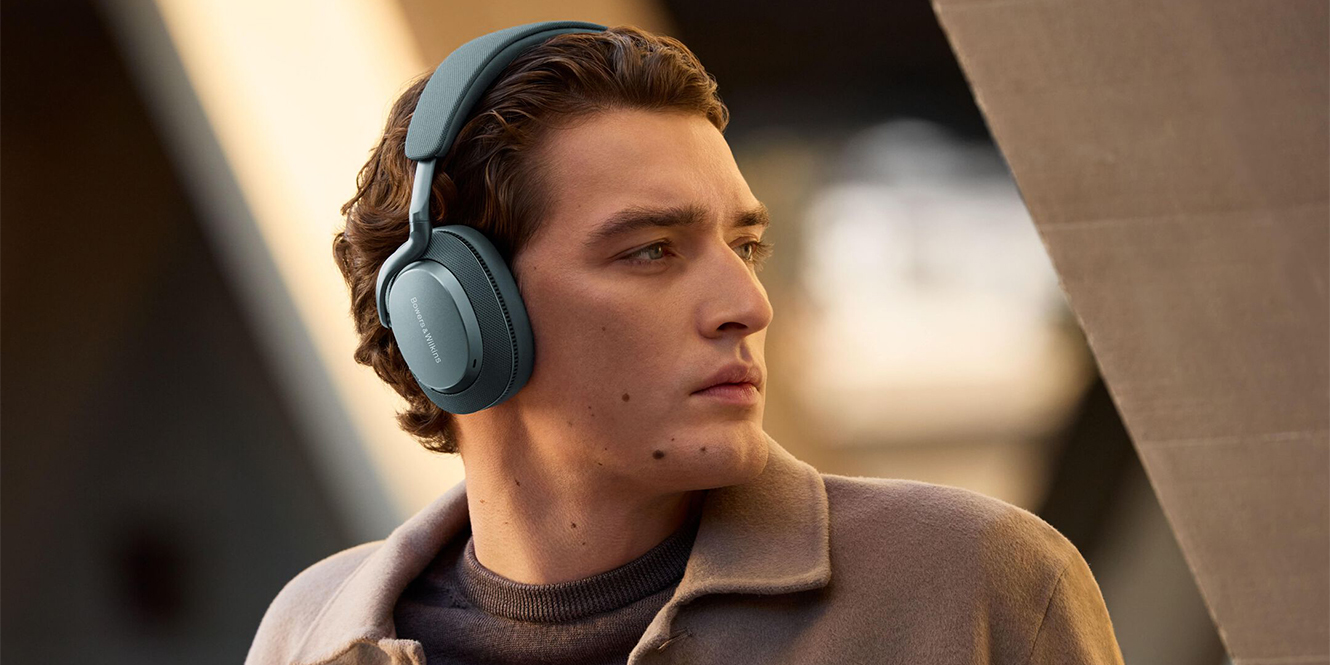

If you’re getting ready to jet off on holiday and want to download some music or a Netflix show to pass the time in the air, you might be asking yourself, “Can you use Bluetooth headphones on a plane?“
In most cases, you can, but there are a few things worth knowing before you board. The use of Bluetooth headphones depends on the airline, the aircraft, and whether you want to connect them to your phone, tablet, or the in-flight entertainment system. In this guide, we’ll take you through everything you need to know.
Key takeaways
- Short answer? Yes, you can usually use Bluetooth headphones on a plane
- They work best with your own phone, tablet, or laptop
- Not all aircraft support Bluetooth for in-flight entertainment – short-haul flights often still use a 3.5mm headphone jack
- Take-off and landing rules can vary by airline
- A wired backup or Bluetooth adapter is worth bringing
Can you use Bluetooth headphones on a plane?
Yes, you can use Bluetooth headphones on a plane. We’ll get to in-flight entertainment later, but as a general rule of thumb, there are no technical limitations or legal issues with using your Bluetooth headphones with a smart device. All I’d say is make sure you are aware enough to listen to announcements and any cabin crew instructions if you’re isolating yourself in this way.
Once your device is in flight mode (it’s not just for use at the cinema or meetings), you can normally switch Bluetooth back on and carry on using your headphones as you usually would.
The main thing to keep in mind is that airline rules can vary slightly. During take-off and landing, some airlines may ask you to pause what you are doing, and onboard systems are not always available throughout every stage of the flight. In most cases, though, Bluetooth headphones themselves are not an issue.
Using Bluetooth headphones with in-flight entertainment
Using Bluetooth headphones with in-flight entertainment is one of those things that sounds straightforward, but in practice, it can be a bit hit and miss. Some newer aircraft do let you pair wireless headphones directly through the seatback screen, but many planes still stick with the old-school 3.5mm headphone jack.
That is where the main limitation comes in. If your flight only has a wired headphone socket, your Bluetooth headphones will not connect on their own. To get around that, you’ll need either a cable or a Bluetooth transmitter. A transmitter plugs into the plane’s headphone jack and sends the audio wirelessly to your headphones, so it’s a really handy thing to have if you fly often.
If your headphones support wired listening, that tends to be the easier option with in-flight entertainment. A lot of over-ear Bluetooth headphones come with a 3.5mm cable, so just plug in and get on with it without worrying about pairing menus or battery life.
It’s also worth keeping in mind that some aircraft use a two-pin airline socket rather than a standard single jack, so in some cases, you may need an airline adapter too.
Bluetooth availability on popular airlines
| Airline | Entertainment system Bluetooth connectivity | Practical takeaway |
|---|---|---|
| British Airways | No clear screen pairing support | Bring a wired cable or Bluetooth flight adaptor. |
| Virgin Atlantic | No clear screen pairing support | Assume newer aircraft only and bring an adaptor. |
| EasyJet | No entertainment system | No seatback entertainment system. Use your own downloaded content and Bluetooth headphones. |
| Ryanair | No entertainment system | No seatback entertainment system. Use your own downloaded content and Bluetooth headphones. |
| Jet2 | No entertainment system | No seatback entertainment system. Use your own downloaded content and Bluetooth headphones. |
| TUI Airways | No Bluetooth connectivity | TUI long-haul flights have seatback entertainment, but this does not have Bluetooth connectivity, so you will need to bring an adaptor. Short/medium-haul flights do not have entertainment systems. |
| Emirates | Available on newer aircraft | Bluetooth pairing is available on some newer aircraft, especially the latest A380S. However, we would recommend still bringing an adaptor, just in case. |
| Qatar Airways | Available on some newer aircraft | Check aircraft type or bring an adaptor. |
| Air France | Available in new long-haul cabins | Bluetooth is advertised for the newest long-haul cabins. For flights to Europe, do not assume it’s available. Bring a wired cable or Bluetooth adaptor. |
| KLM | No Bluetooth connectivity | KLM explicitly tells passengers to use wired headphones or bring a Bluetooth adaptor. |
| Lufthansa | No Bluetooth connectivity | Lufthansa advertises seatback entertainment and provides headphones, but bring an adaptor if you want wireless listening. |
Bluetooth headphones on a flight: travel checklist
A little prep can make the whole experience much smoother. Whether you’re listening to music from your phone or hoping to use the in-flight entertainment system, it’s worth running through a quick checklist before you travel.
Make sure your headphones are fully charged
Do this before you leave! Long flights can quickly drain battery life, especially if you’re using noise-cancelling headphones, so starting at 100% is always a good idea. We also recommend packing a charging cable or even a power bank to save you from getting caught out mid-flight.
If you have an audio cable, bring it
It’s worth checking whether your headphones come with an audio cable. Even if they’re primarily wireless, many Bluetooth headphones can still be used with a 3.5mm cable, which is handy because plenty of in-flight entertainment systems still rely on a standard headphone jack.
If your headphones don’t support wired listening, a Bluetooth transmitter is a smart backup, as it lets you connect wirelessly to the plane’s audio socket.
Pack a small airline adapter
If you’re relying on the seatback screen, pack a small airline adapter just in case, as some planes still use a two-pin socket instead of a standard 3.5mm jack.
Activate aeroplane mode before take-off
On most devices, you can then turn Bluetooth back on separately, which means you can still use your wireless headphones without any issues.
Download your media content in advance
Films, playlists, podcasts, and shows saved offline are a lifesaver if the in-flight entertainment is limited. Our tip is to download more than you need, so you have options in the air!
FAQs
Can you still use Bluetooth headphones in aeroplane mode?
Bluetooth headphones can still be used in aeroplane mode. Aeroplane mode turns off cellular connections first, while Bluetooth can usually be switched back on manually. Most airlines allow this during normal flight, but crew instructions always take priority.
Do Bluetooth headphones need to be taken out at airport security?
Bluetooth headphones do not need to be taken out at airport security. They are usually treated like small personal electronics and can stay in your bag in many airports. Screening rules vary, so officers may still ask for them separately during checks.
Do I need an adapter to use my headphones on a plane?
An adapter may be needed to use your headphones on a plane. Many modern aircraft support standard headphone jacks or Bluetooth, but some older in-flight systems use two-pin sockets. Checking the airline and aircraft type helps avoid connection issues.
Final thoughts
Travelling with wireless headphones has become the norm for a lot of people. They’re convenient and comfortable. The only real difference on a flight is that not every aircraft handles audio in quite the same way.
So, can you use Bluetooth headphones on a plane? Yes! Just connect to your device and go – but not during take-off or landing. If you want to connect to the in-flight entertainment systems, however, it’s best to bring an adapter or audio cable.






0 Comments